Mask by Noise
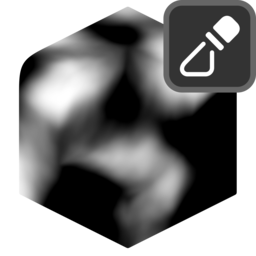
Creates a mask from noise. Internally uses the vertLab Attribute Noise modifier.
Settings
Mix
Mix generated mask with existing one.
- Blend Mode: Blend mode with existing mask:
- Disable: Disable blend.
- Replace: Replace A with B.
- Multiply: Muliply A by B.
- Add: Add B to A.
- Min: Minimum value of A and B.
- Max: Maximum value of A and B.
- Screen: Brighten A using the brightness of B.
- Overlay: Brighten/darken A using values above/below 0.5 on B.
- Divide: Divide A by B.
- Subtract: Subract B from A.
- Opacity: Opacity of blend.
Noise Settings
- Noise Type: Type of noise to generate:
- fBM.
- Voronoi Distance.
- Voronoi Cells.
- Multifractal.
- Hybrid Multifractal.
- Ridged Multifractal.
- Voronoi Type: Voronoi feature to compute:
- F1: Distance to closest point.
- F2: Distance to second closest point.
- Edge Distance: Distance to edge of voronoi cell.
- Distance: Distance metric:
- Euclidian: Euclidian distance (actual 3d distance).
- Manhattan: Manhattan distance, separates distance components and adds them together.
- Chebychev: Chebychev distance, separates distance components and chooses largest.
- Minkowski: Minowski distance.
- Feature Size: Size of the largest features in the noise.
- Offset: Offset the noise W position. Effectively a smooth transition between seeds.
- Detail: The number of noise octaves. Higher values give more detailed noise but increase render time.
- Roughness: Blend factor between an octave and its previous one. A value of zero corresponds to zero detail.
- Lacunarity: The difference between the scale of each two consecutive octaves. Larger values corresponds to larger scale for higher octaves.
- Octave Offset: An added offset to each octave, determines the level where the highest octave will appear.
- Gain: An extra multiplier to tune the magnitude of octaves.
- Exponent: Exponent of the Minkowski distance.
- Randomness: Randomness of Voronoi points.
Distortion
- Scale X: X Scale applied to noise coordinates. Useful for directional noise such as wood grain or rock strata.
- Y: Y Scale applied to noise coordinates. Useful for directional noise such as wood grain or rock strata.
- Z: Z Scale applied to noise coordinates. Useful for directional noise such as wood grain or rock strata.
Normal Warp
- Normal Warp: Amount to use normals to warp the noise. Turning this to 1 will ignore position and use only normal.
- Normal Blur: Iterative blur for normals, use to smooth out the normal warping.
Noise Warp
- Warp Amount: Amount to warp the noise.
- Feature Size: Size of the largest features in the distortion noise.
- Offset: Offset the noise W position. Effectively a smooth transition between seeds.
- Detail: The number of noise octaves. Higher values give more detailed noise but increase render time.
- Scale Effect: How much non-uniform scale is applied to the warp noise.
Values
Histogram
- Invert.
- Splits: Create a saw-tooth banding effect. This value corresponds to the number of bands applied.
- Fold: Invert values above/below a threshold. Another method of creating a banding effect. Can be used to remove the abrupt changes in values caused by splits:
- None.
- Peaks: Invert values above a threshold.
- Valleys: Invert values below a threshold.
- Threshold.
Contrast
- Gamma: Adjust gamma (power) of values.
- S-Curve: Intensity of S-curve applied to value. 0 = linear, 1 = maximum S-curve, -1 = maximum negative S-curve.
- S-Curve Midpoint: Shift the inflection point of the S-curve.
- Interpolation: Interpolation used for values:
- Linear: Linear interpolation.
- Smooth Step: Smooth Hermite edge interpolation (increases contrast).
- Smoother Step: Smoother Hermite edge interpolation (further increases contrast).