Face Weighted Normals
Calculate face weighted normals for a mesh. This is similar to Blender's built-in Weighted Normals Modifier but with some differences:
- Selection Panel lets you limit weighted normals to a specific part of your mesh.
- Options are designed to be more intuitive and easier to use.
-
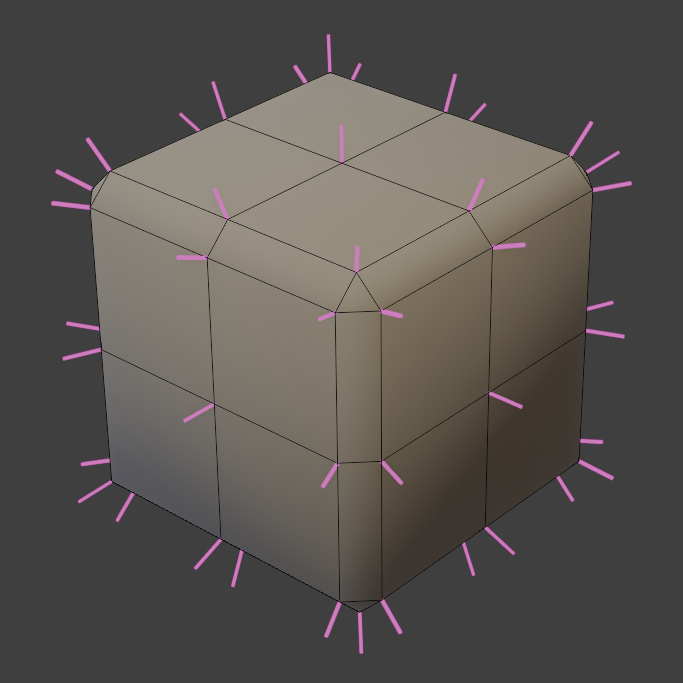
Un-weighted normals -
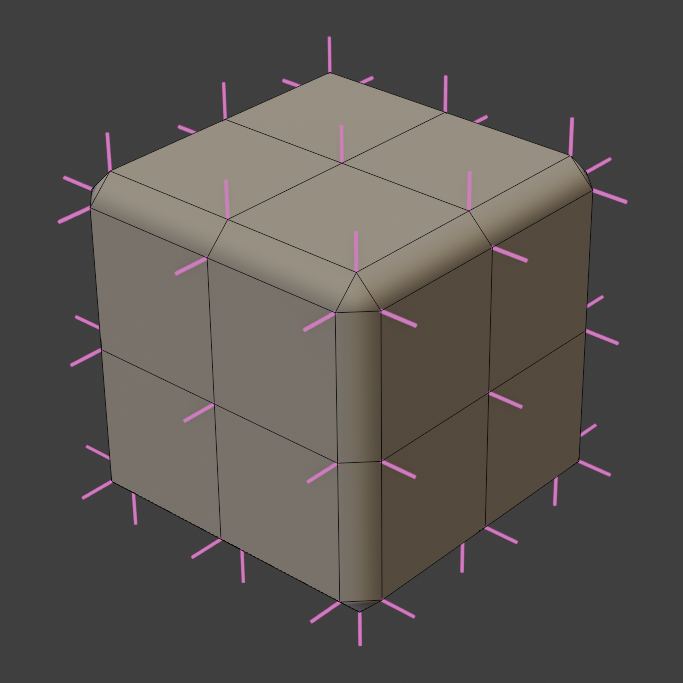
Weighted normals
Options
- Normal Domain. Whether normals are stored on points (smooth) or face corners (allows sharp edges).
- Weight. Derive normal weights from:
- Face Area. Faces with larger area have more influence over normals.
- Face Strength. Use the "Face Strength" attribute. Official Documentation
- Attribute. Define an attribute to use for normal weighting.
- Keep Sharp. Keep sharp edges on face corners.
- Corner Angle Weights. Include corner angles in weighting. Produces better normals for non -quads.
Area Weights
Have more control over area-weighted normals.
- Area Bias. Bend normals towards faces with larger areas. 1 = Direct weight based on area. Higher values will weight more aggressively to larger areas.
- Area Cutoff. Ignores normals from smaller faces. Cutoff is a percentage of face area compared to the largest connected face.
Selection
See Selection options.