Instance Objects
These tools make it easier to use the Instance Object modifier.
Duplicate Instanced
This operator that acts like Blender's built-in Duplicate Linked but also copies the results of all modifiers:
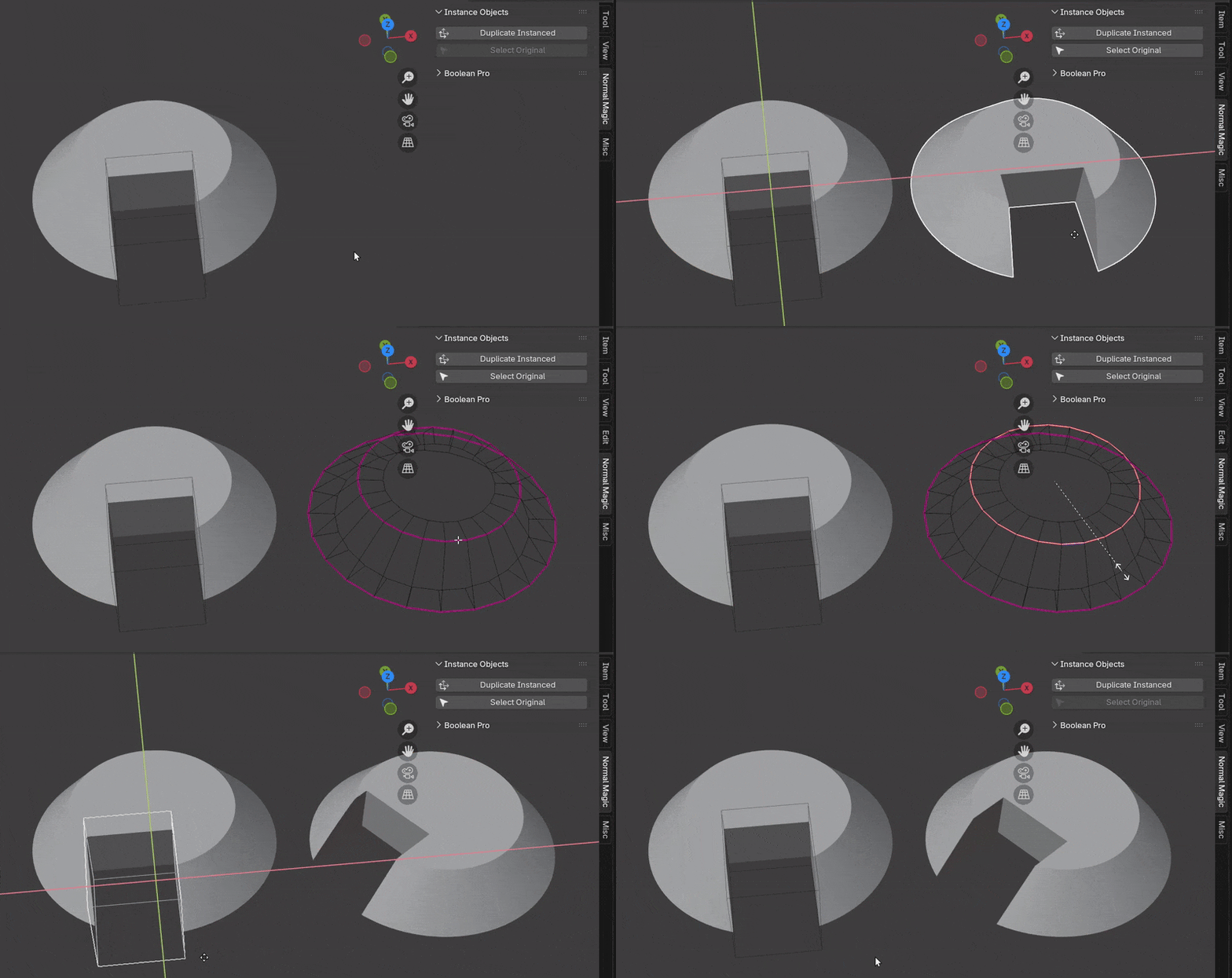
The instanced object can be duplicated with any existing methods e.g. Shift+D and will keep the same behavior.
Using this operator on an object that already is using a "Instance Object" as it's last modifier will instance the original object to keep things simple.
What it does
For each selected object:
- Create a new object with the same mesh data as selected object. This is so you can still enter "Edit Mode" on the instance.
- Add Instance Object modifier and specify selected object.
- Select instance object and deselect original.
Select Source
Selects the source object(s) being instanced by selected object(s). This is useful when you wish to edit the mesh or change modifiers on the original object.