Modifier References
Use this panel to manage complex non-destructive scenes with many cutters, inserts, or other objects referenced by modifiers.
Active Object
This panel shows modifiers for the active object only i.e. modifiers that show up in Blender's modifiers panel.
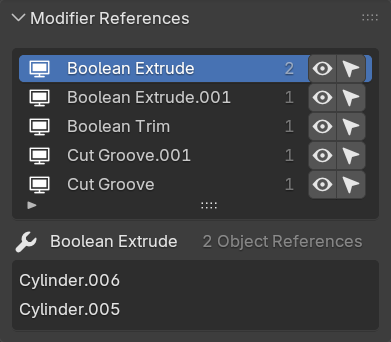
Instantly select, show or hide objects that are referenced by the active object's modifiers.
UI Breakdown
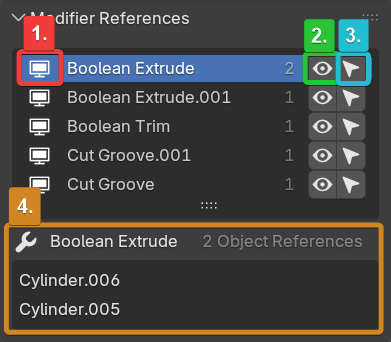
The main list displays every modifier on the active object that references other objects. Selecting a modifier will also select it in the object's modifier panel and display it's individual references below.
-
-
1. Hide/Show All: Hide or show all referenced objects for the active object. Filter the modifier list below.
2. Modifier List: Each entry here is a modifier on the active object:
- Toggle modifier
- Show/Hide referenced objects
- Select/Deselect referenced objects3. Modifier Defaults: Set the default settings for the highlighted modifier. See here for more information.
4. Apply/Remove Modifier: Apply or remove the highlighted modifier with an option to delete referenced objects.
5. Referenced Objects: Displays referenced objects, you can rename them here.