Cut Groove
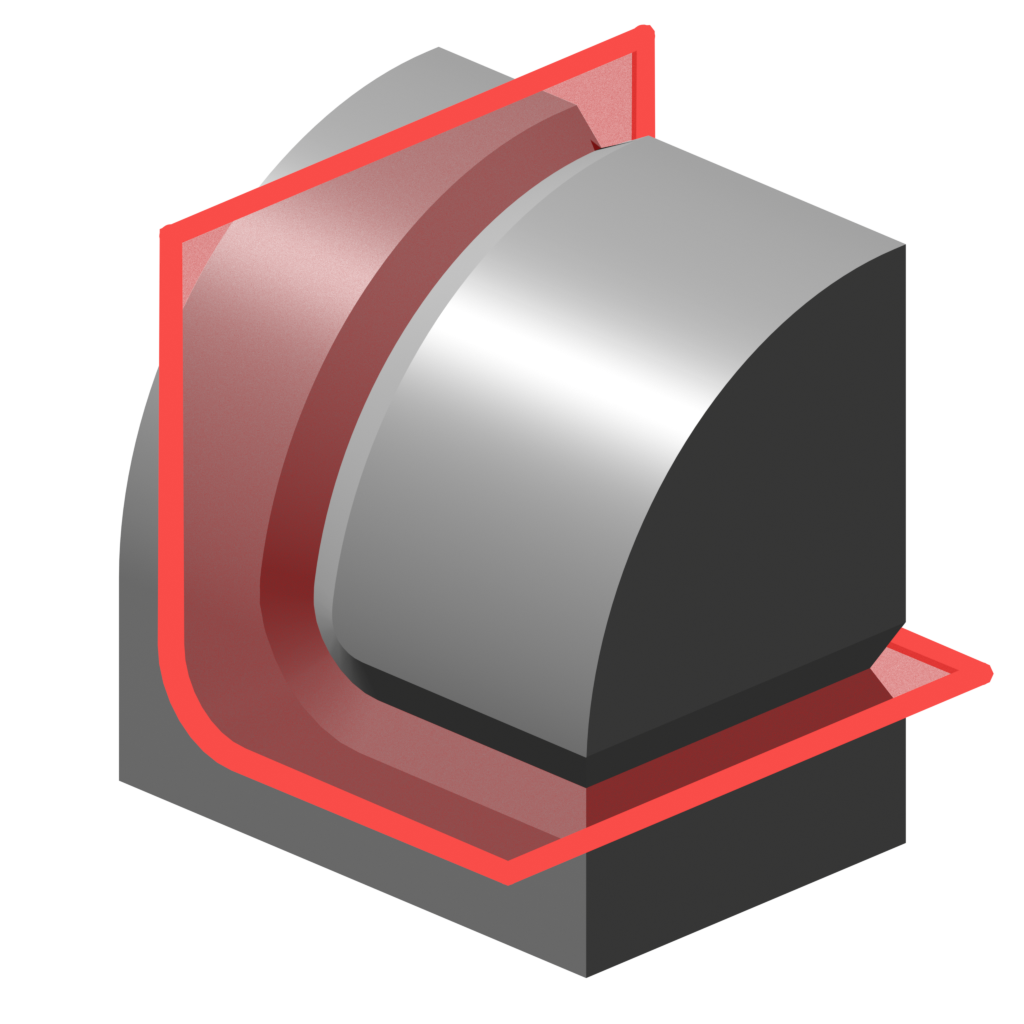
Cut a v-shaped groove or a gap into a surface along the intersection of cutter objects.
How it works
The Cut Groove Modifier performs the following steps:
- Generate a curve from the intersection of cutter objects.
- Convert the curve to a 'ribbon' mesh that follows the surface closely.
- Extrude the 'ribbon' mesh with a v-shaped profile to create a solid 'groove cutter'.
- Cut the 'groove cutter' from the original surface using a difference Boolean.
Viewing Steps
You can view the result of each of the above steps using the Debug panel
Examples
Be sure to check out the examples file to see Cut Groove in action.

Options
Cut Operation
- Groove: Cut a V-shape channel into geometry where cutters intersect. This should keep meshes manifold.
- Gap: Cut a gap of even width where cutters intersect. This will create non-manifold geometry.
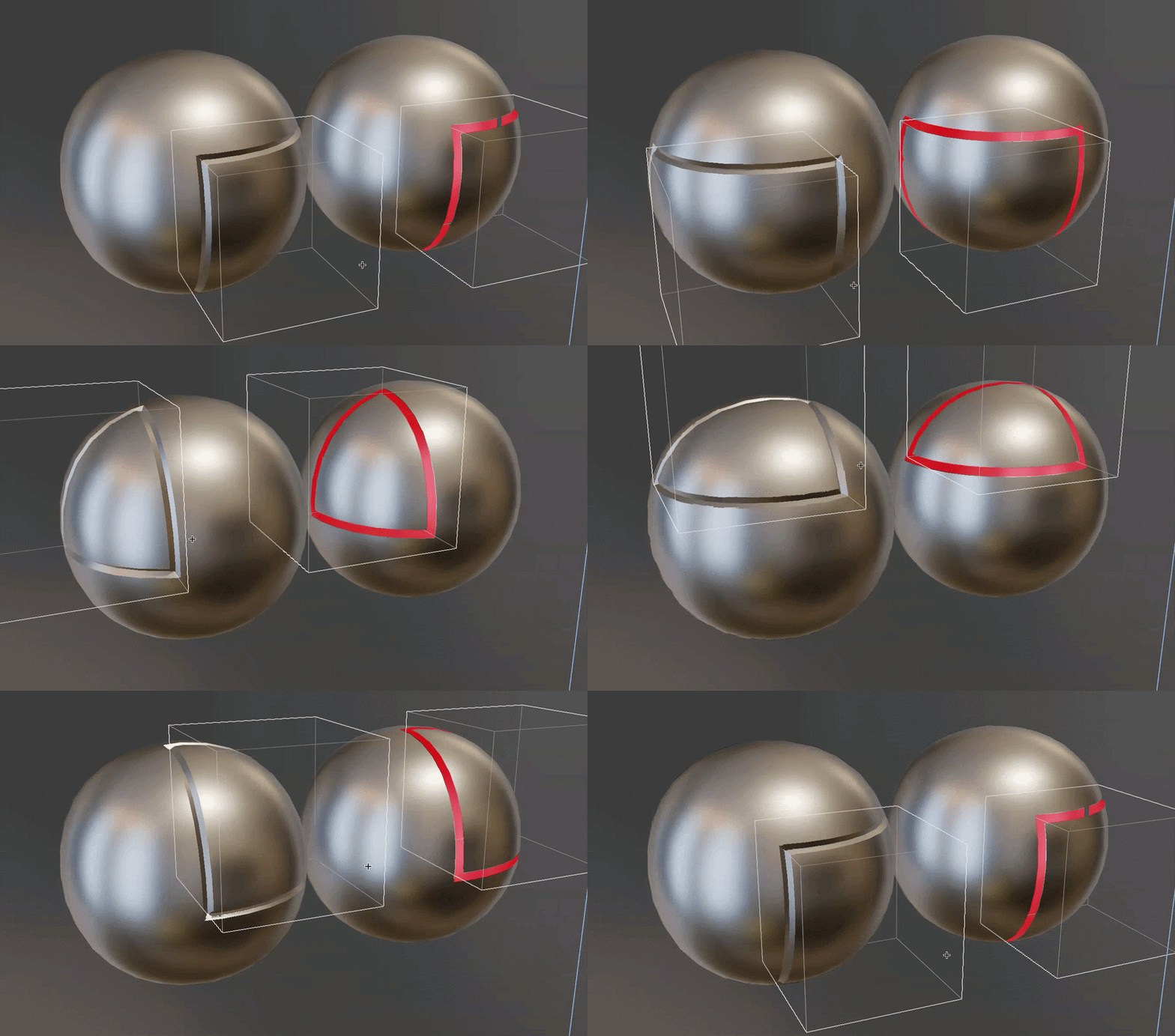
Cutter Objects
This section specifies which cutters to use.
- Objects/Collection: Choose individual mesh objects or a collection containing mesh objects.
- Object Count: How many cutter mesh objects to use (when in Objects mode).
- Cutter Outset: Expands the cutter mesh with options for even thickness.
Cutter Geometry
Control how the groove cutter is generated. This can be previewed using the "Final Cutters" debug view.
- Width: Width of the cut.
- Groove/Cutter Depth: How deep to make the cutter.
- Cutter Boundary Weld: Distance at which to weld points along the cutter boundary. This is useful for avoiding bad shading and mesh errors along the cut boundary.
- Edge Slide Angle: Slide cutter edges along base mesh edges if they are within this angle.
Intersection Curve
Control over the curve generated at cutter intersection. This can be previewed using the "Intersection Curve" debug view.
- Line Solver: Which Boolean solver to use to generate the curve.
- Simplify Curve: Remove inline points from curve.
- Distance Weld: Weld points closer than this threshold.
Boolean
Settings for final Boolean where groove mesh is cut into the object's surface.
- Non-Manifold Solver: Which Boolean solver to use when one or more inputs is not manifold.
- Merge By Distance: Merge Vertices by distance after Boolean operation.
Normals
How to calculate normals.
- Transfer Normals: Transfer normals with the Boolean operation. It is recommended to keep this on to avoid shading artifacts.
- Match Boundary Normals: Match the normals on the edge of the groove. This makes the sharp edge appear rounded.
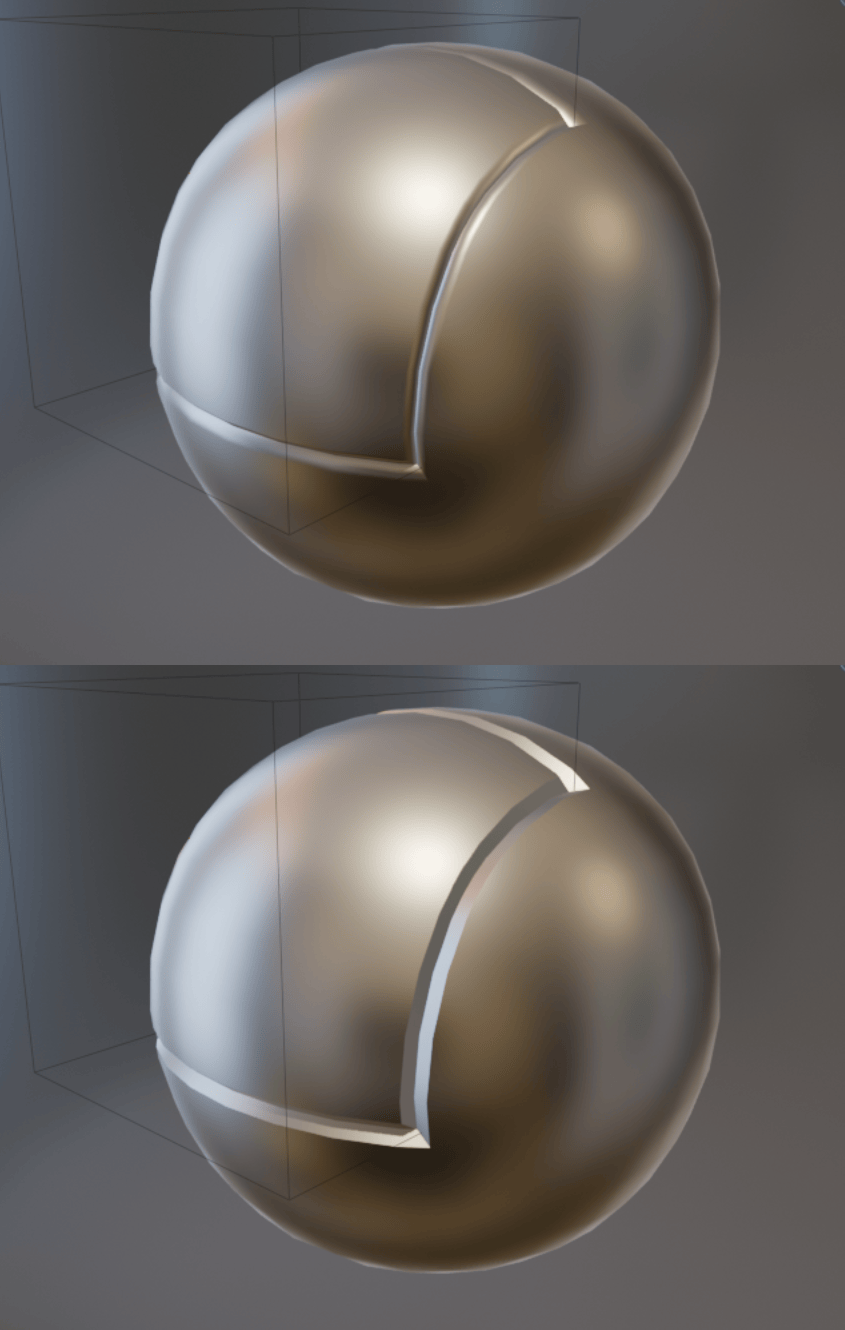
- Groove Sharp Angle: Angle at which to mark edges as sharp on the groove faces.
Groove UVs
For "Groove" operation only.
- Method: How to generate UVs:
- Inherit Surface UVs: Project UVs from original surface.
- UV Strip: Generate new UVs in a strip along the groove.
- UV Map: UV Map to write to.
Debug
This section lets you inspect the steps of the process if the modifier isn't behaving as expected.
-
View. Outputs geometry from different points in the node graph.
Warning
This changes the output of the graph, make sure to turn off when you're done inspecting.
- Intersection Curve: Output the curve generated by the Boolean intersection.
- Ribbon: Output the extruded curve or "ribbon".
- Final Cutters: Output the 'groove cutter' extruded from the 'ribbon'.