Directional Occlusion
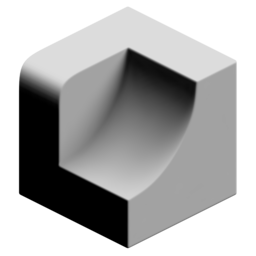
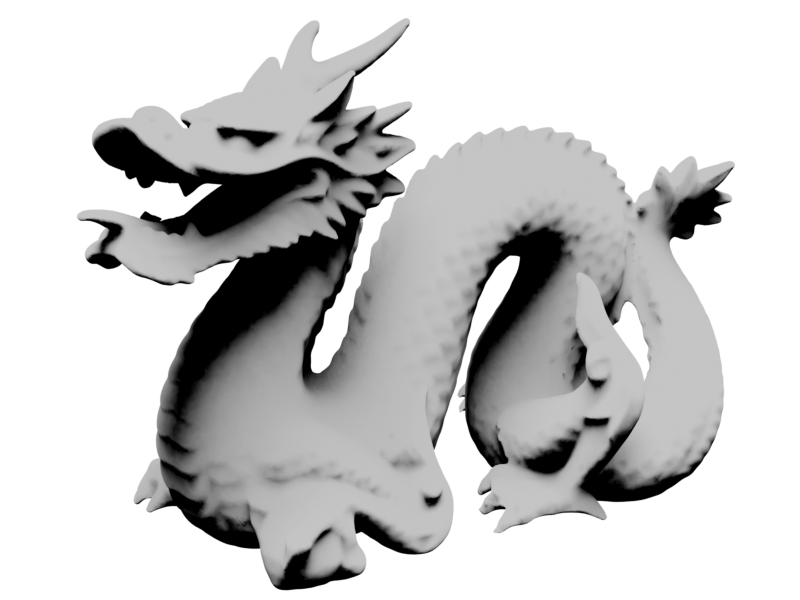
Calculate ray-traced directional occlusion, in other words: A soft directional shadow.
The cone angle effects how sharp or soft the shadow is. You can learn more about the raycasting process here.
Outputs
- Point Occlusion: Output occlusion attribute for points (no sharp edges).
- Face Corner Occlusion: Output occlusion attribute for face corners (allows sharp edges). Domain must be set to "Face Corner".
- Color: No description provided.
Settings
- Domain: Calculate occlusion per:
- Point: Calculate occlusion per point. Cheaper but does not allow for sharp edges.
- Face Corner: Calculate occlusion on face corners. More expensive but allows for sharp edges. Useful for low poly models
- Space: Coordinate space of direction vector:
- Local: Use object space direction
- Global: Use world space direction
Rays
- Accumilation: How ray values are accumilated:
- Average Hit Distance: Uses the average ray hit distance compared with the ray length. Often produces smoother results but values will change with the ray length.
- Hit Count: Uses ray hit/miss ratio. Can be noisier but values are independent of ray length.
- Direction: Direction to cast rays.
- Ray Count: Number of rays cast from each point/corner.
- Ray Length: Maximum distance to check for ray collisions.
- ConeAngle: Rays will be distributed evenly in a cone up to this angle. Higher angles will have softer occlusion.
Blur
Blur result. Can help improve noise on dense meshes.
- Blur Iterations: How many iterations to blur the result.
Occlusion Geometry
Additional geometry to occlude rays.
- Object: Additional object to act as occluder.
- Collection: Additional collection of objects to act as occluders.