Attribute Noise
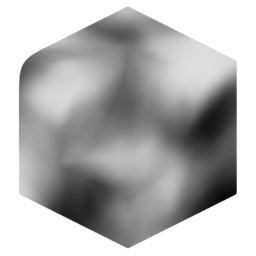
Generate a greyscale noise attribute, optionally blending with an existing attribute. This modifier aims to give convenient access to useful noise types, warping, and value mapping options to provide a wide range of effects.
Noise Types
Standard fBM and Voronoi noise types are available. Most base noise settings come directly from Blender's Noise texture and Voronoi nodes.
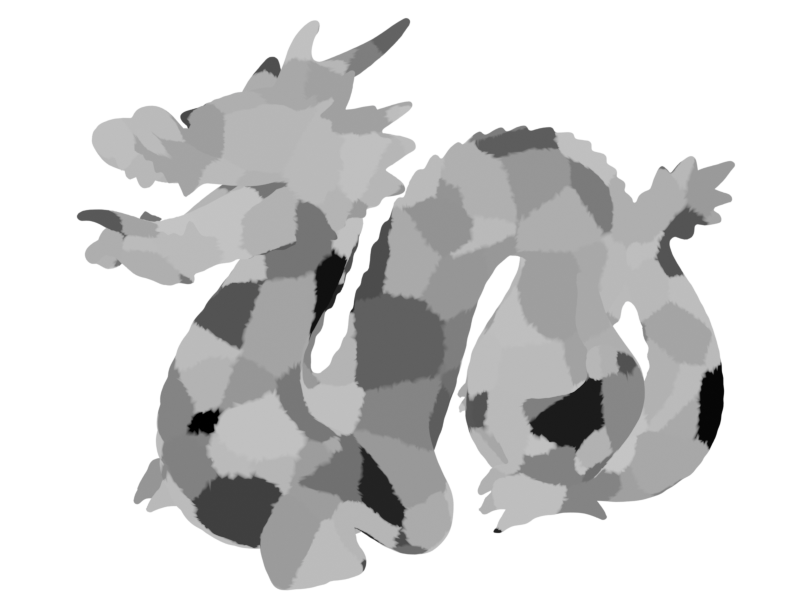
For reference, here are examples of basic noises:
-
fBM
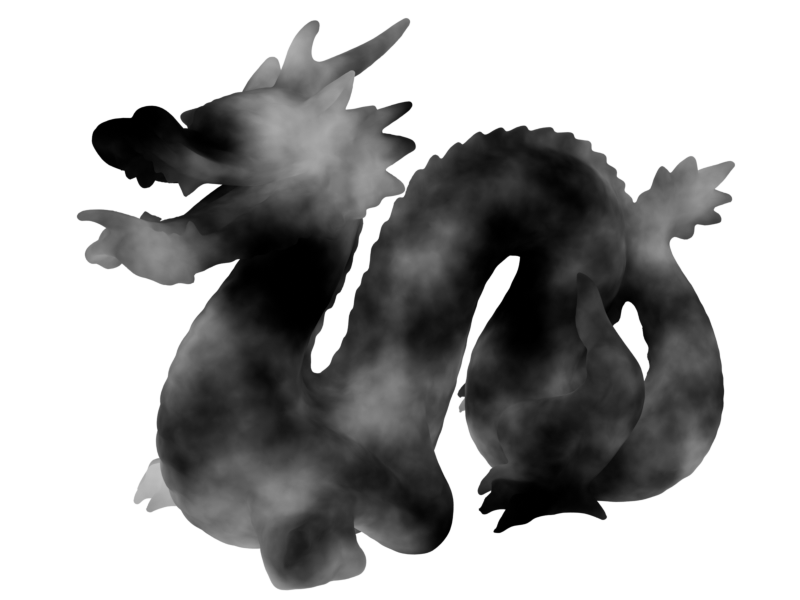
-
Voronoi Distance F1
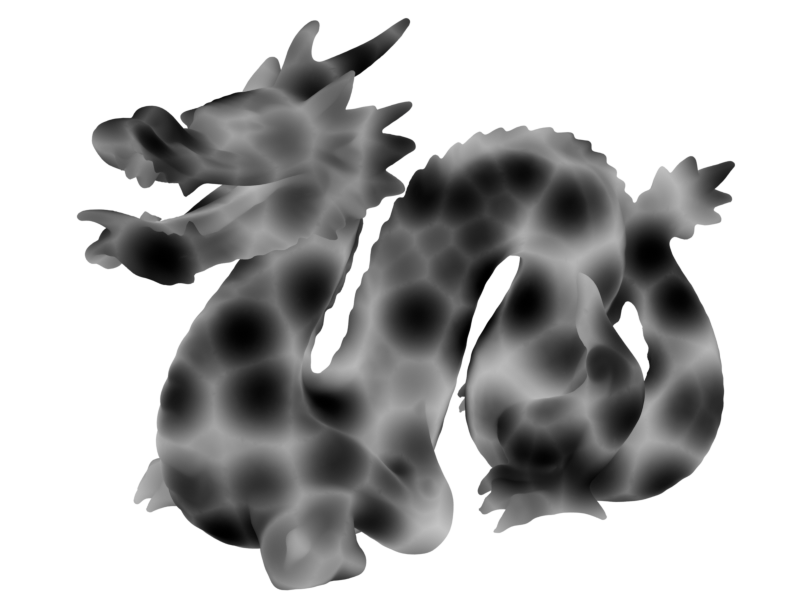
-
Voronoi Distance F2
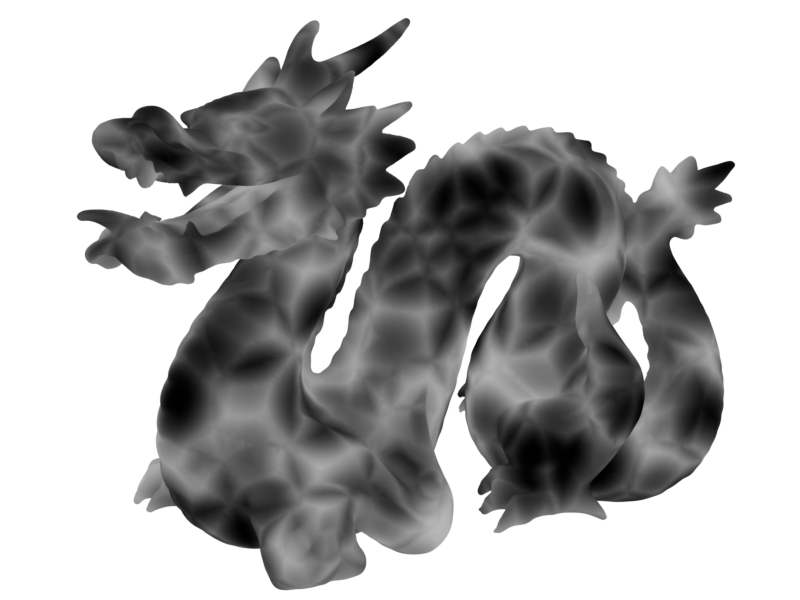
-
Voronoi Cells F1
Distortion
Distortion applies an offset to the position used to generate the noise, squashing and stretching the result. There are three categories of distortion:
Scale
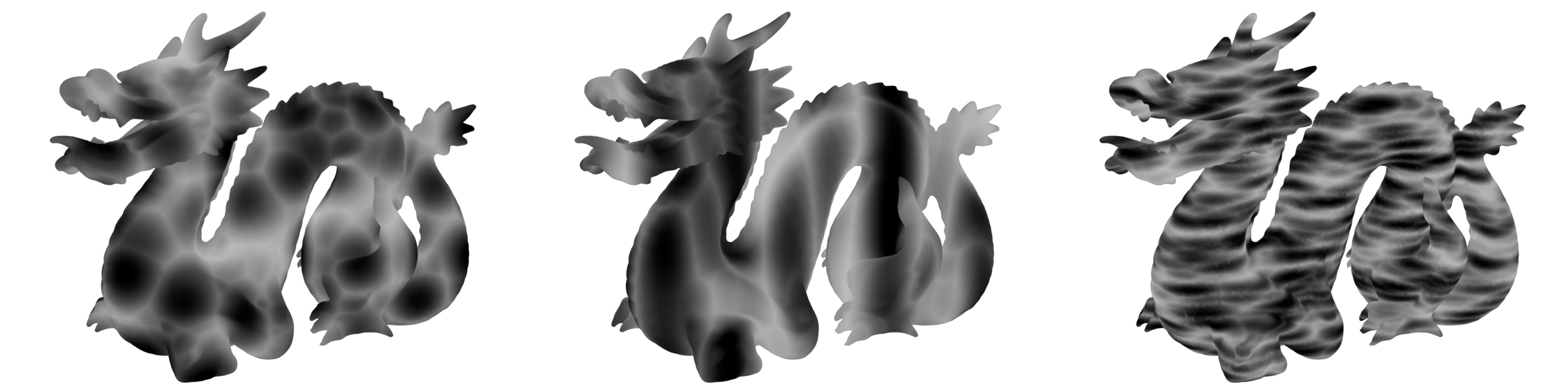
Distortion scale can be applied to squash and stretch noise along any of the 3 axes. Here we're stretching the noise by adjusting the Z scale.
Normal
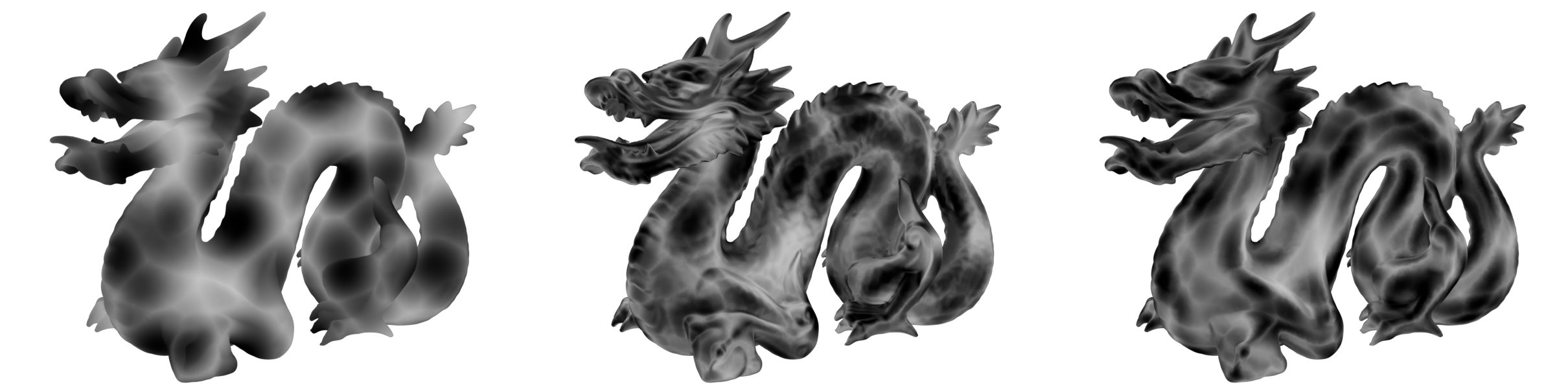
Noise can be distorted with the normal, giving the effect of noise stretching along the surface. Pictured below is: No warping, normal warp with no smoothing, normal warp with smoothed normals.
Noise
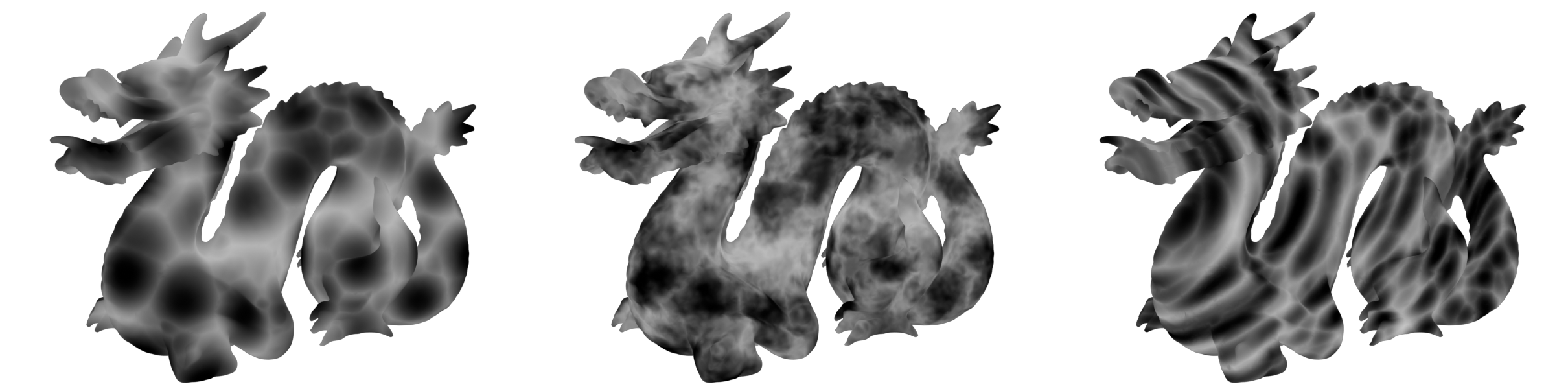
You can warp noise using another noise. Pictured below is: No warping, detailed small warp, large scale warp:
Values
The values of the noise can be remapped in the values section.
Histogram Operations can be used to add banding effects.
-
Base Noise
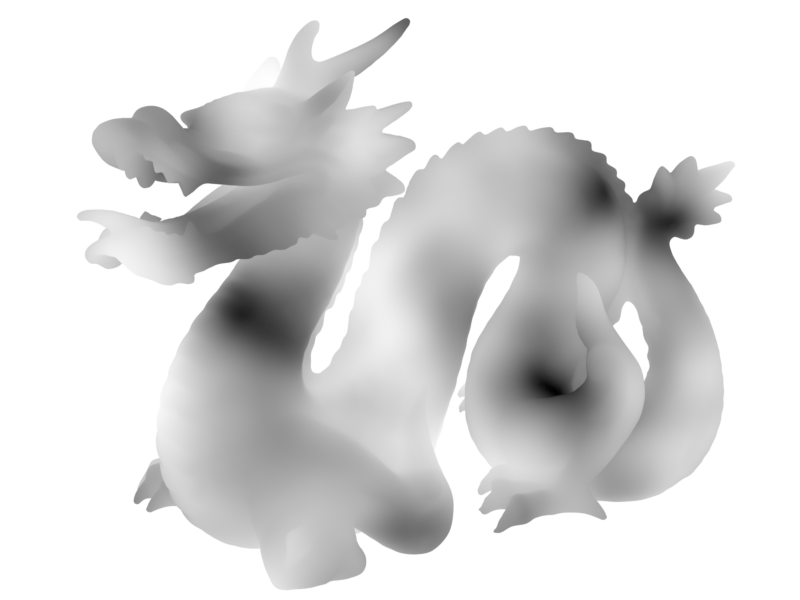
-
Histogram Banding
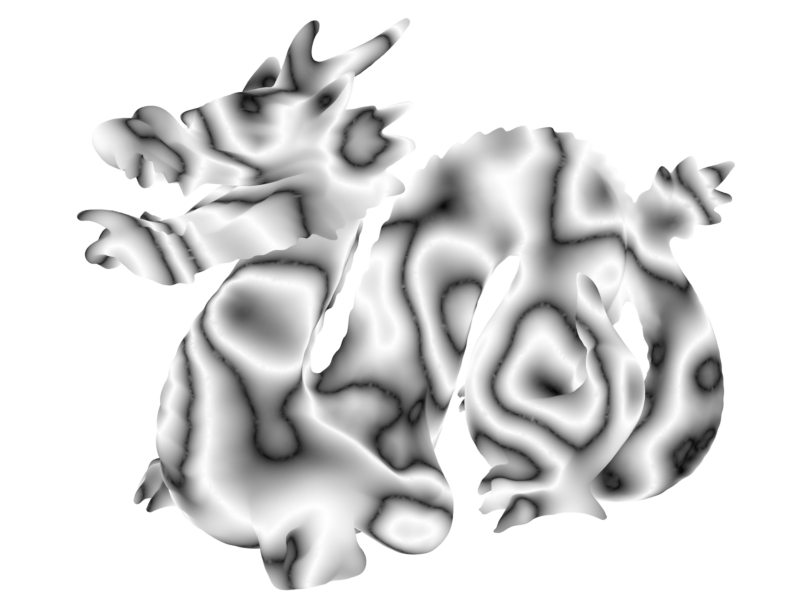
Gamma and S-Curve controls can add contrast.
-
Base Noise
-
S-Curve Contrast
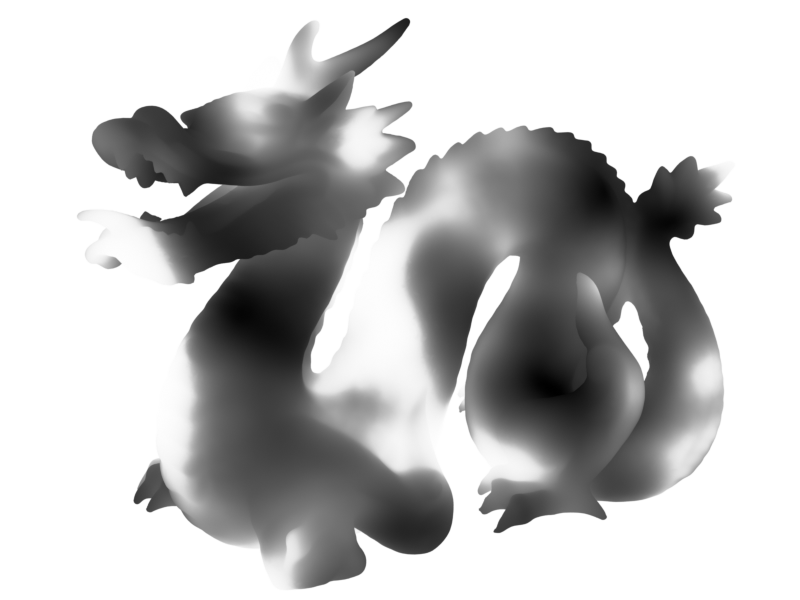
Outputs
- Noise: Noise attribute.
- Color: Noise output as color (used for visualisation).
Settings
- Space: Coordinate space used for noise:
- Local: Use object's space.
- Global: Use global space.
- Noise Type: Type of noise to generate:
- fBM.
- Voronoi Distance.
- Voronoi Cells.
- Multifractal.
- Hybrid Multifractal.
- Ridged Multifractal.
- Voronoi Type: Voronoi feature to compute:
- F1: Distance to closest point.
- F2: Distance to second closest point.
- Edge Distance: Distance to edge of voronoi cell.
- Distance: Distance metric:
- Euclidian: Euclidian distance (actual 3d distance).
- Manhattan: Manhattan distance, separates distance components and adds them together.
- Chebychev: Chebychev distance, separates distance components and chooses largest.
- Minkowski: Minowski distance.
Noise Settings
Base settings for noise.
- Feature Size: Size of the largest features in the noise.
- Offset: Offset the noise W position. Effectively a smooth transition between seeds.
- Detail: The number of noise octaves. Higher values give more detailed noise but increase render time.
- Roughness: Blend factor between an octave and its previous one. A value of zero corresponds to zero detail.
- Lacunarity: The difference between the scale of each two consecutive octaves. Larger values corresponds to larger scale for higher octaves.
- Octave Offset: An added offset to each octave, determines the level where the highest octave will appear.
- Gain: An extra multiplier to tune the magnitude of octaves.
- Exponent: Exponent of the Minkowski distance.
- Randomness: Randomness of Voronoi points.
Distortion
Apply distortion to the noise.
- Scale: Scale applied to noise coordinates. Useful for directional noise such as wood grain or rock strata.
Normal Warp
Use mesh normal to warp noise.
- Normal Warp: Amount to use normals to warp the noise. Turning this to 1 will ignore position and use only normal.
- Normal Blur: Iterative blur for normals, use to smooth out the normal warping.
Noise Warp
Use another noise to warp coordinates.
- Noise Warp: Use another noise to warp coordinates.
- Warp Amount: Amount to warp the noise.
- Feature Size: Size of the largest features in the distortion noise.
- Offset: Offset the noise W position. Effectively a smooth transition between seeds.
- Detail: The number of noise octaves. Higher values give more detailed noise but increase render time.
- Scale Effect: How much non-uniform scale is applied to the warp noise.
Values
Remap the values of the noise.
- Input Range: Range of values from the generated noise.
- Auto: Detect the minimum and maximum values on geometry and remap to use the full 0-1 range. Values can be unstable if you are changing the mesh or noise options.
- Stable: Specify the min/max input. Values are stable against changes but will need tweaking for multifractal noises.
- Value Range.
- Clamp Output: Clamp output values between 0-1.
Histogram
Apply histogram operations.
- Splits: Create a saw-tooth banding effect. This value corresponds to the number of bands applied.
- Fold: Invert values above/below a threshold. Another method of creating a banding effect. Can be used to remove the abrupt changes in values caused by splits:
- None.
- Peaks: Invert values above a threshold.
- Valleys: Invert values below a threshold.
- Threshold.
Contrast
Apply contrast operations.
- Gamma: Adjust gamma (power) of values.
- S-Curve: Intensity of S-curve applied to value. 0 = linear, 1 = maximum S-curve, -1 = maximum negative S-curve.
- S-Curve Midpoint: Shift the inflection point of the S-curve.
- Interpolation: Interpolation used for values:
- Linear: Linear interpolation.
- Smooth Step: Smooth Hermite edge interpolation (increases contrast).
- Smoother Step: Smoother Hermite edge interpolation (further increases contrast).
Blend
Blend noise with another attribute.
- Attribute: Attribute to blend noise with.
- Blend Mode:
- Disable: Disable blend.
- Replace: Replace A with B.
- Multiply: Muliply A by B.
- Add: Add B to A.
- Min: Minimum value of A and B.
- Max: Maximum value of A and B.
- Screen: Brighten A using the brightness of B.
- Overlay: Brighten/darken A using values above/below 0.5 on B.
- Divide: Divide A by B.
- Subtract: Subract B from A.
- Opacity: Strength of the blend. Supply an attribute to act as a mask.