Project to Surface

Project and blend geometry onto other mesh surfaces. Transfer normals and UVs for a seamless blend.
Similar to Surface Insert but this modifier is added to the "decal/patch" mesh, not the main surface. It's the faster option if you don't need to weld the meshes together.
-
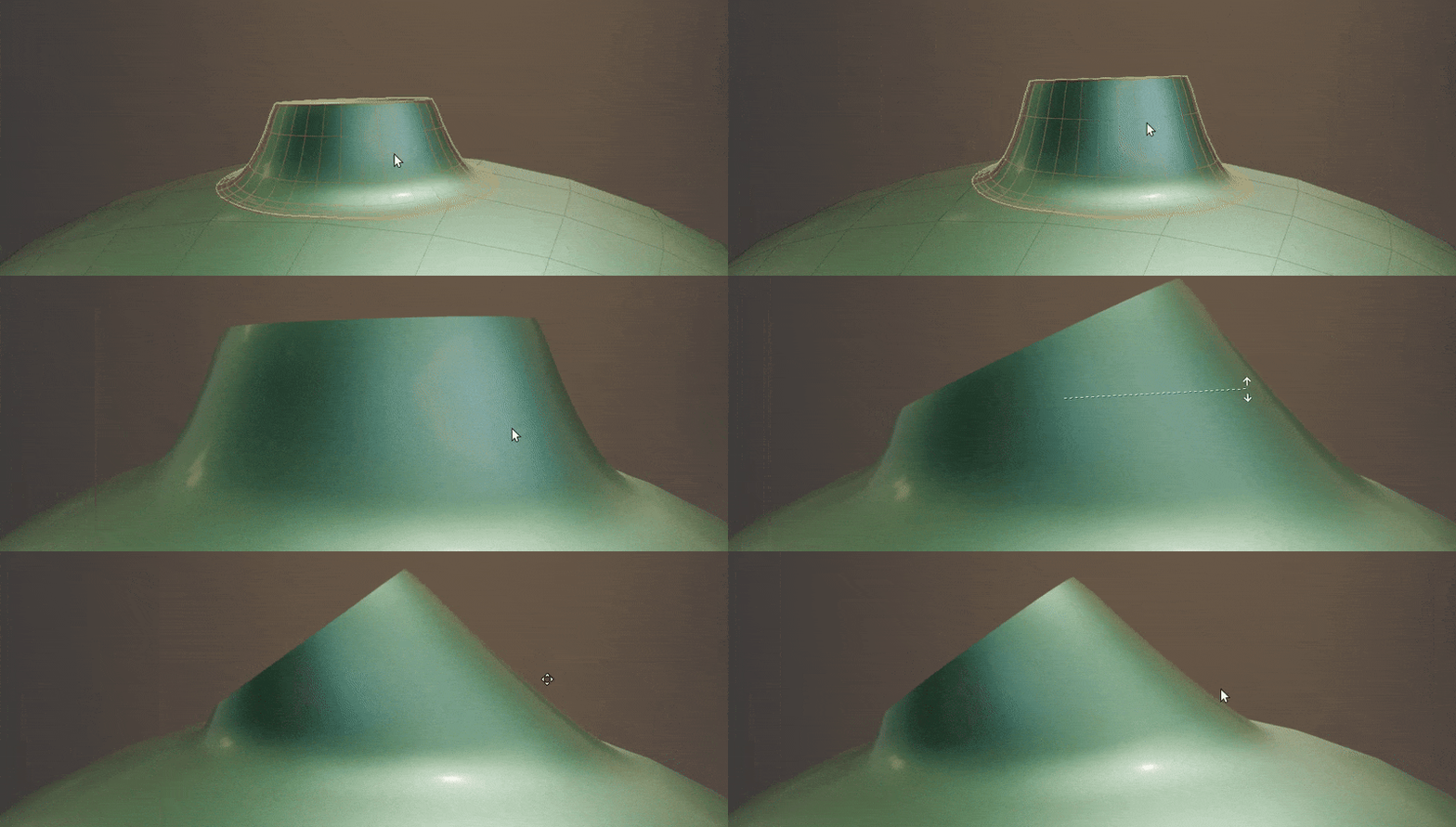
Blend a mesh object to other surfaces. Multiple other mesh surfaces can be specified. -
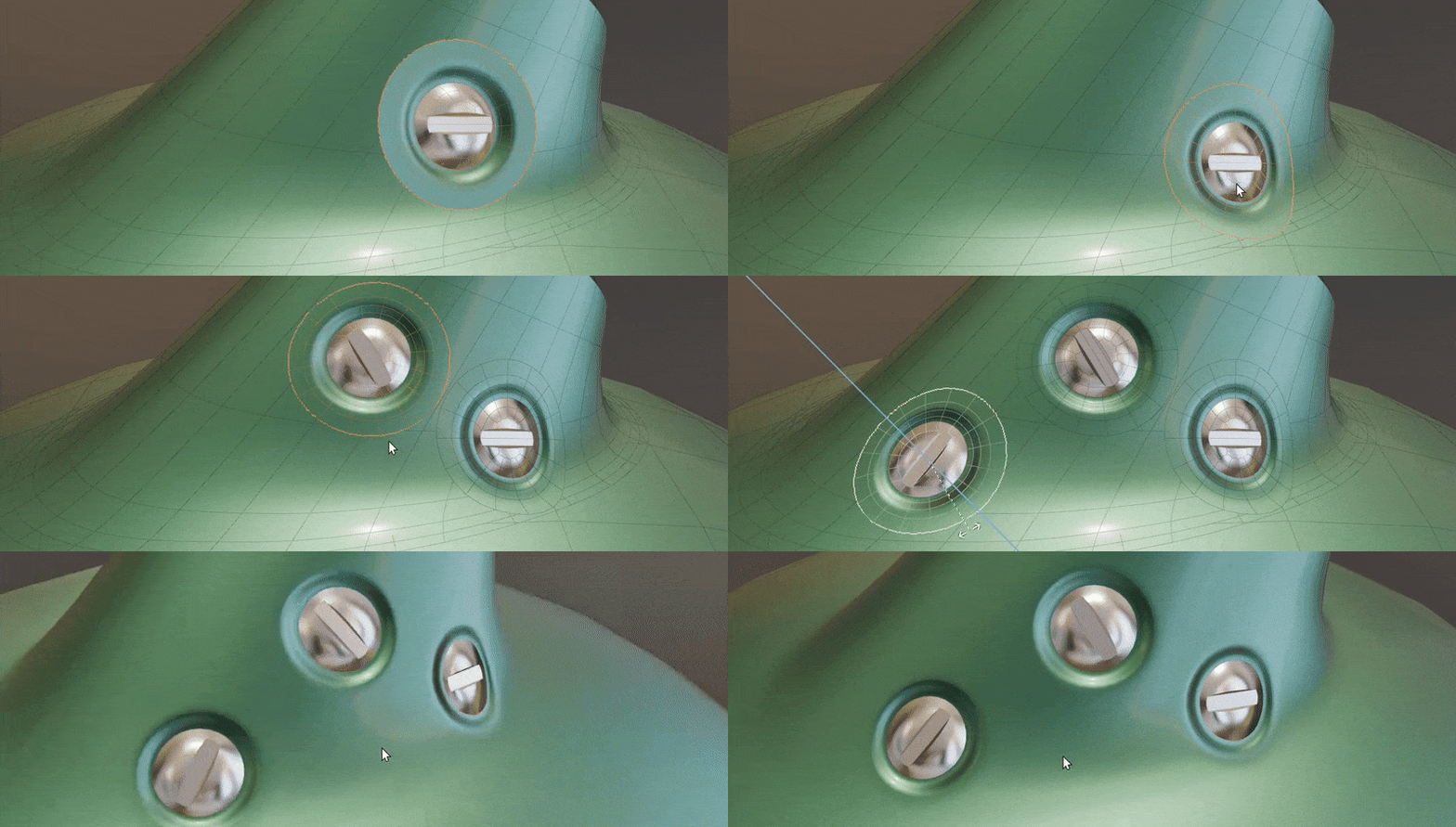
Project mesh as a "Decal" onto other objects. This flattens the geometry but keeps the original normals.
Open Edges
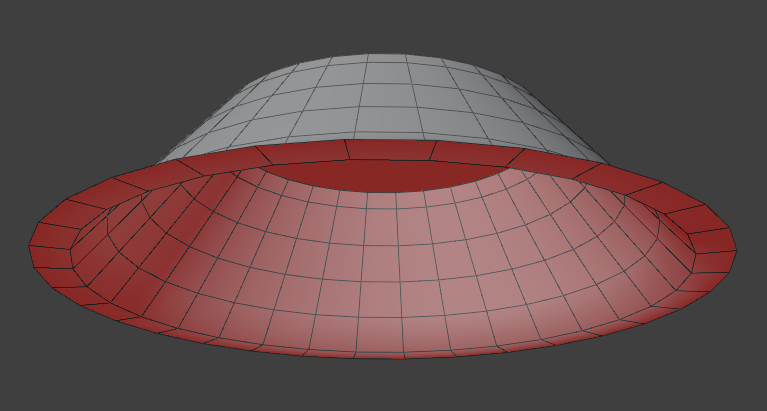
This modifier works best on meshes with "open edges", i.e. non-solid objects. These edges are used as the base for most masking methods.
Examples
Be sure to check out the examples file to see Project to Surface in action.

Options
Projection Targets
Choose which meshes to project to.
- Target Objects: How many mesh objects to project to.
- Objects: Choose individual mesh objects to project to.
- Collection: Choose a collection containing mesh objects to project to.
Projection
Define how mesh is projected to surfaces.
- Method: Method for vertex projection:
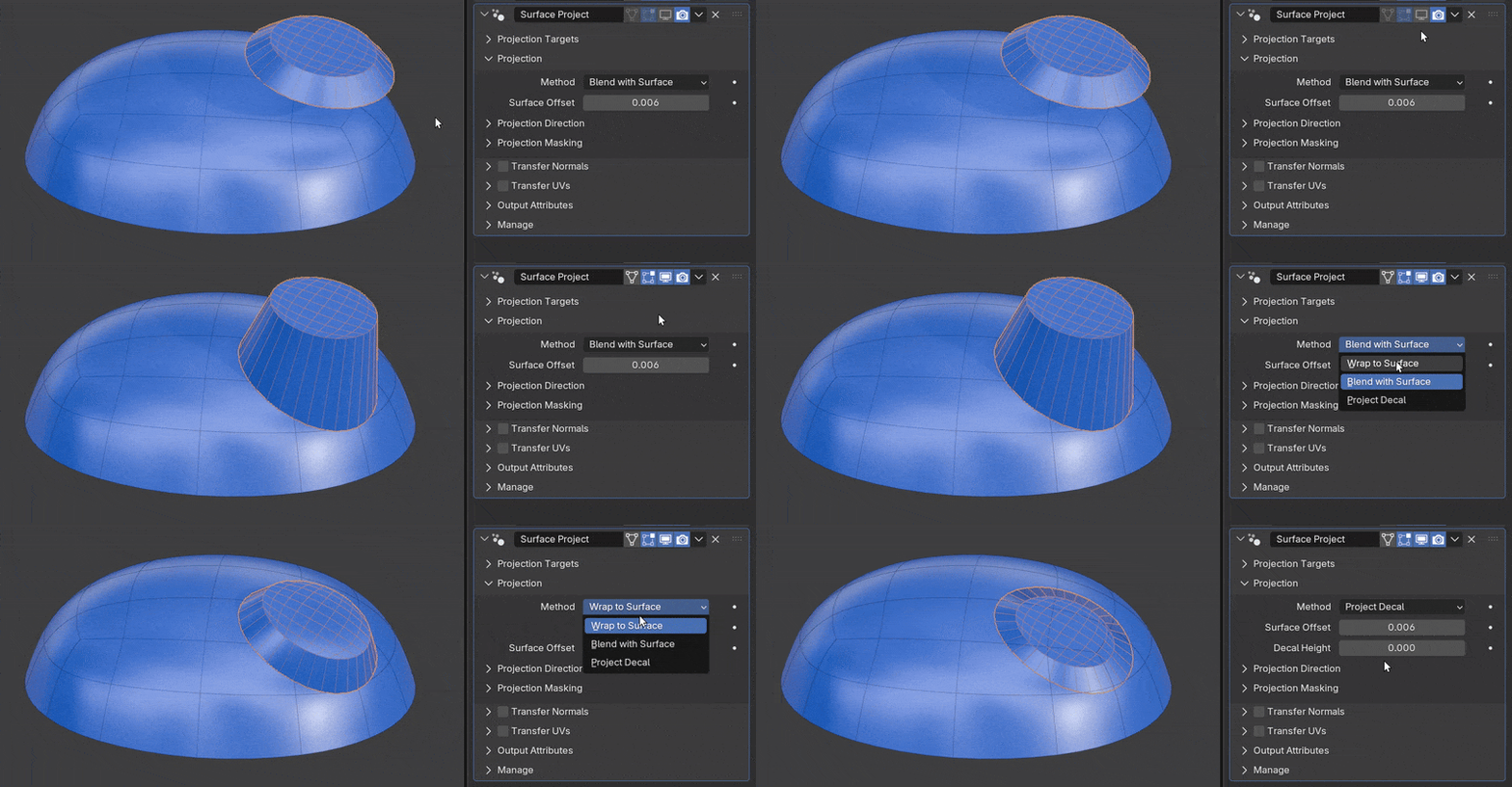
- Wrap to Surface: Wrap mesh to target surface. Points will be projected to target surface and re-displaced based on their calculated height.
- Blend with Surface: Project points to target surface then blend between original and projected positions.
- Project Decal: Flatten geometry to target surface while keeping original normals. Ideal for "floaters" intended for baking.
- Surface Offset: Move projected vertices a fixed amount towards or away from the target surface.
Projection Direction
Control the direction and properties of surface projection.
- Project Direction: Define direction of projection rays:
- Object Direction: Direction in object space (default -Z).
- World Direction: Direction in world space (default -Z).
- Mesh Normal: Use individual point normals.
- Mesh Island Normal: Use the average normal of each mesh island.
- Mesh Tangent: Use individual point tangents.
- Surface Normal: Use the normal of the closest part of target surface.
- Base Height: How height is calculated for Wrap to Surface and Project Decal projection methods:
- Boundary Center: Calculate height from a plane defined by the center of the boundary and the projection direction.
- Object Origin: Calculate height from a plane defined by the objects origin and the projection direction.
- Re-Displace: When using Wrap to Surface. Direction to apply calculated height:
- Projection: Apply height displacement using the projection direction.
- Surface Normal: Apply height displacement using the normal of the target surface.
- Ray Length: Maximum distance rays will collide with target surface. Best to keep at a large enough value that all points collide.
- No Hit: Change behavior of vertices when projection rays miss:
- Unchanged: Do not move vertex.
- Closest Surface to Max Dist: Move vertex to the maximum distance in ray direction then snap to closest point on target surface.
Projection Masking
Control how projection is masked. See Mask Falloff.
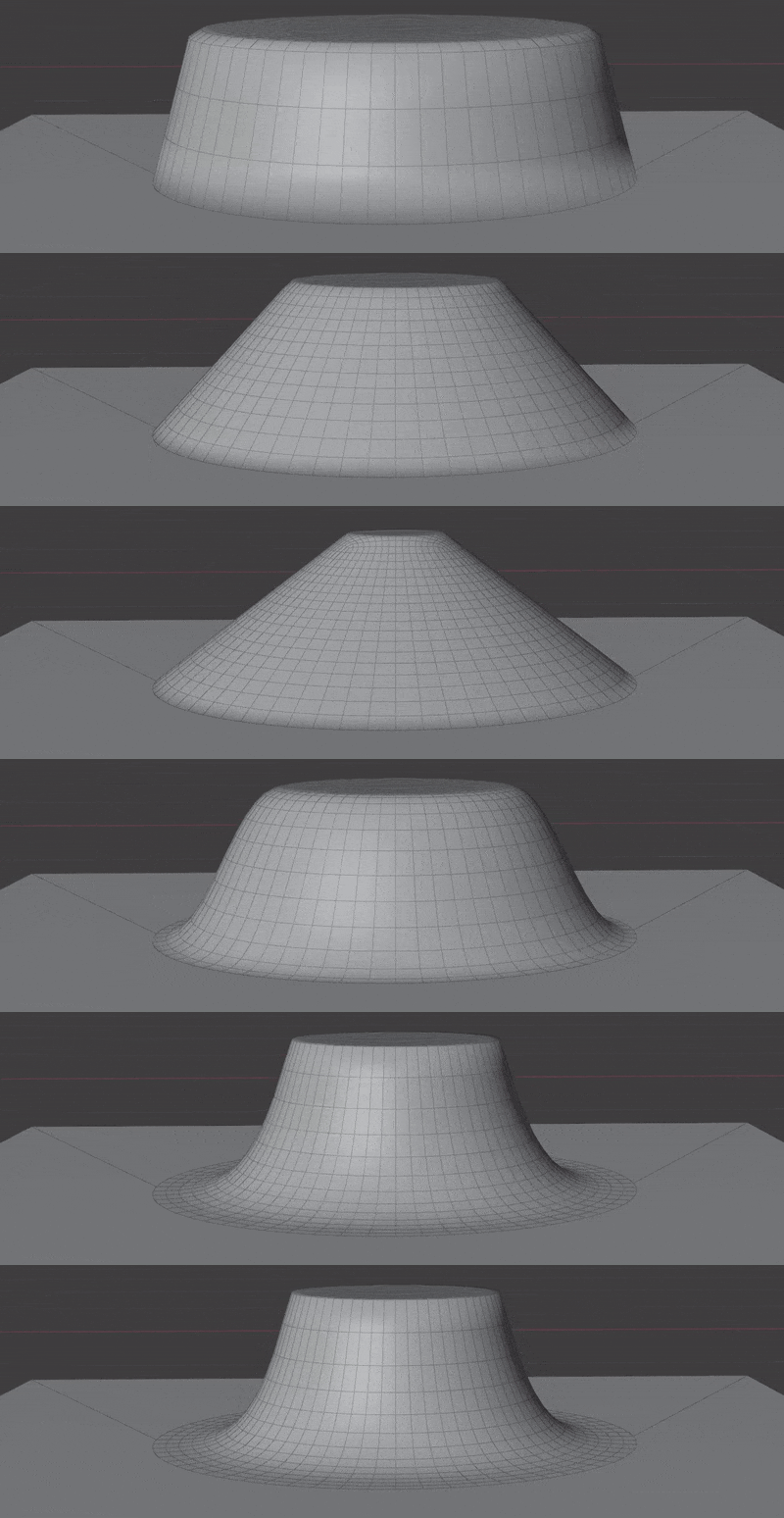
- Vertex Group: Choose a vertex group to project.
Transfer Normals
Transfer normals from target surfaces. Internally this uses Normal Transfer. Normals are transferred after vertex projection, using the closest target surface.
- Normal Domain: Whether normals are stored on points (smooth) or face corners (allows sharp edges).
- Normal Masking: How to mask the normal transfer:
- Projection Mask: Use the same mask used for vertex projection.
- New Mask: Create a new mask using mask falloff.
- Vertex Group: Limit all normal transfer to a vertex group.
Transfer UVs
Transfer UVs from target surface.
- UV Map From: Which UV Map to transfer from the surface.
- UV Map To: Which UV Map to write to on this object.